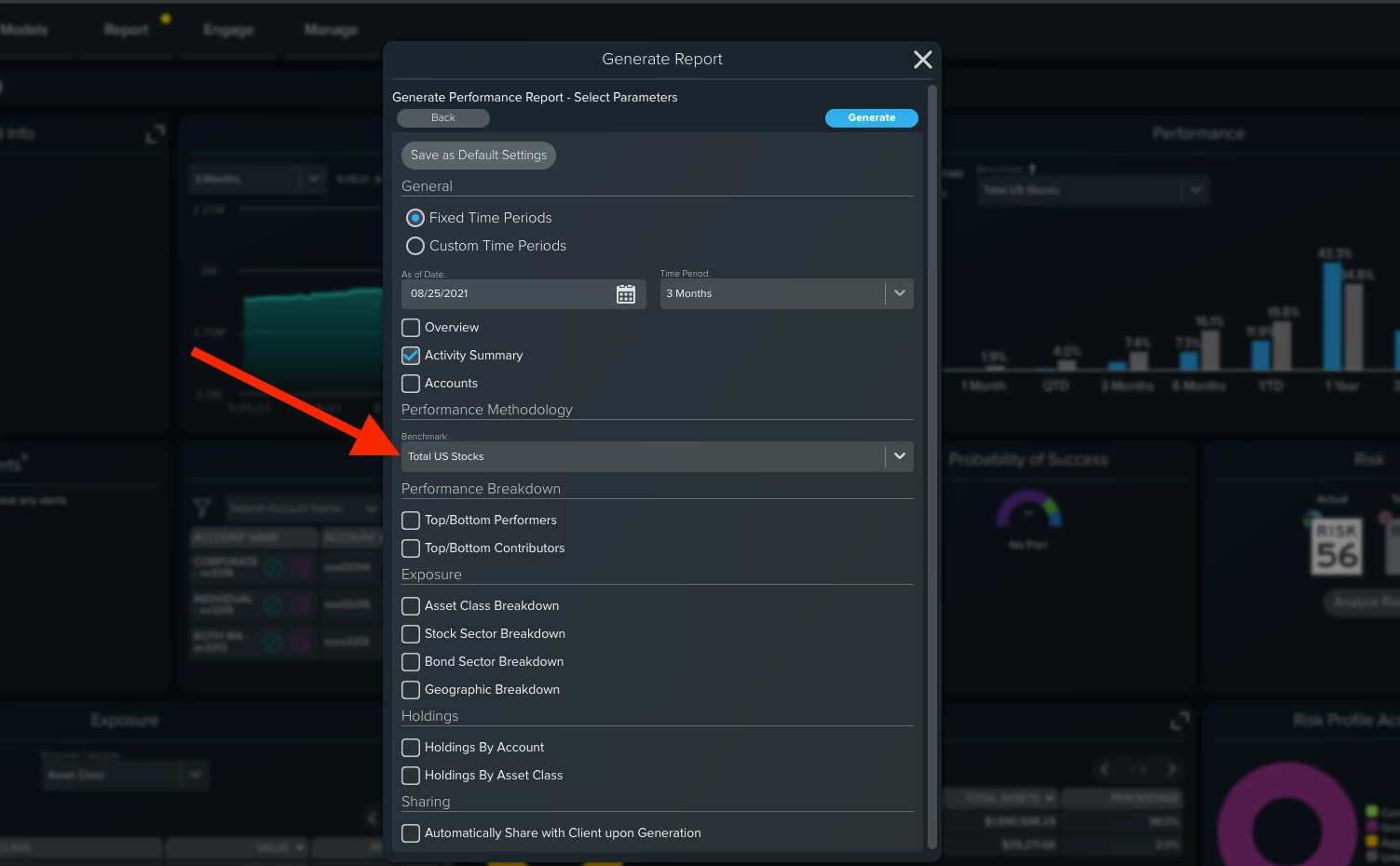
When generating a Performance Report, the benchmark is an option in the Generate Report - Select Parameters step.
If you have the Default set, that will automatically display. If you want to change the benchmark for a particular household, account, or group for the report, you can change that right here.
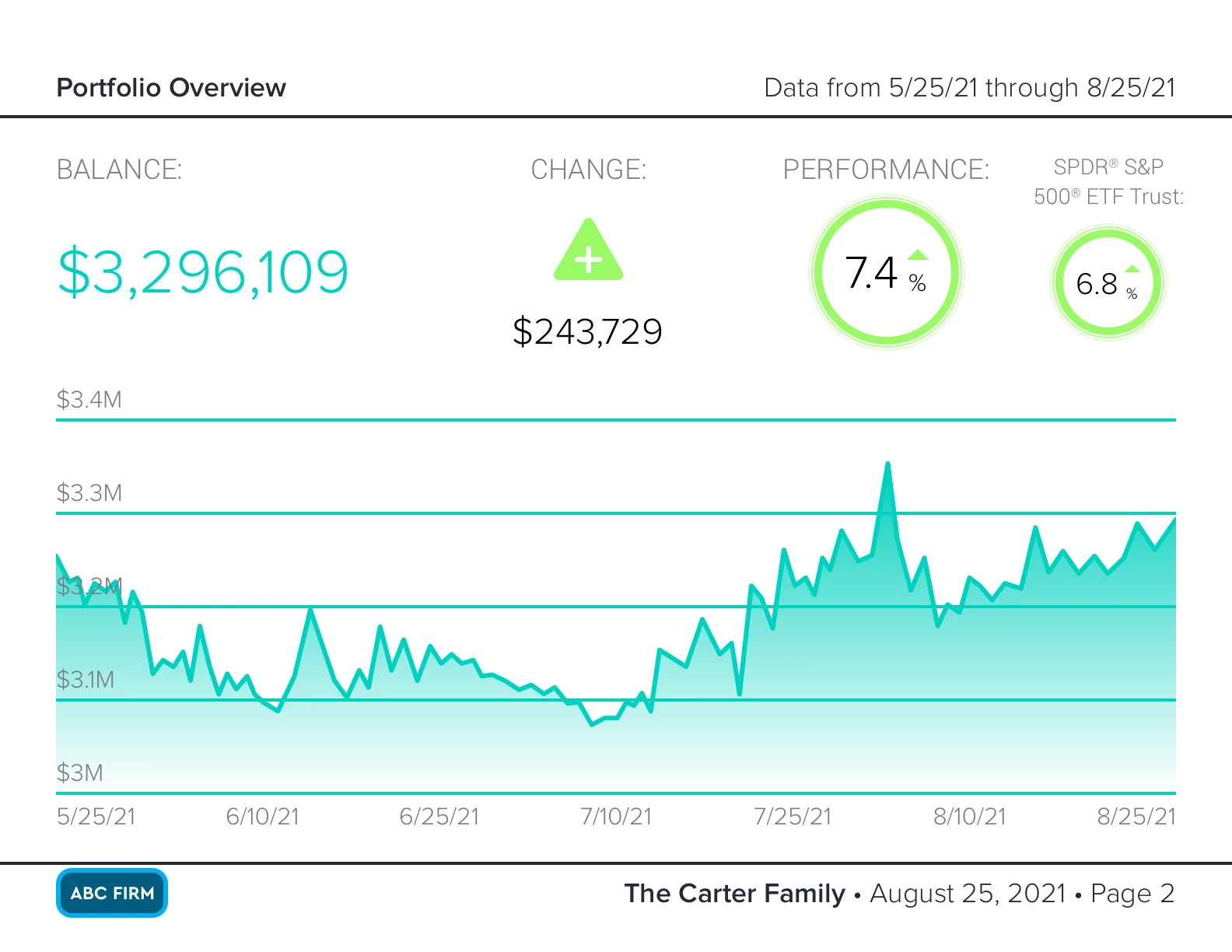
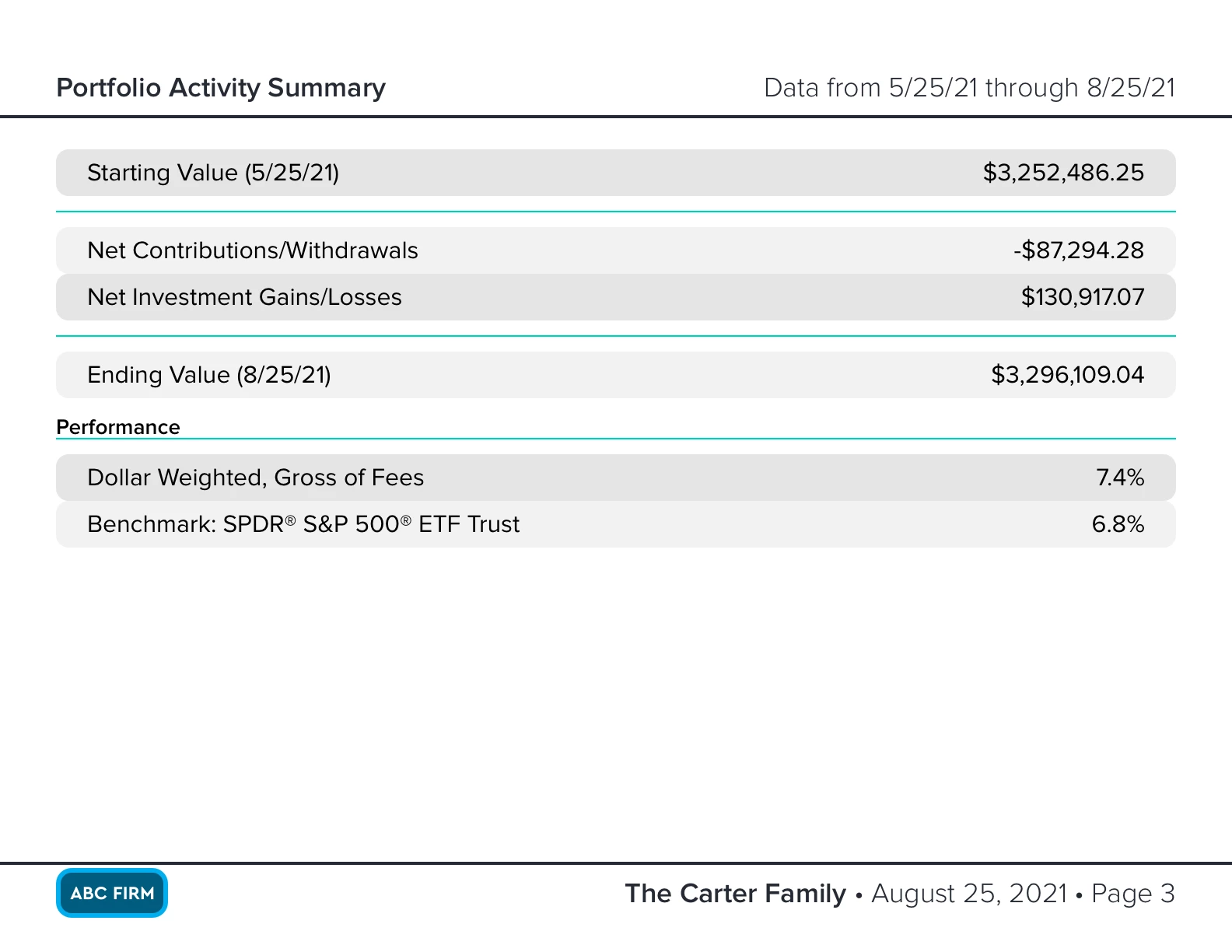
When the PDF report is generated, the Benchmarks will display on the Overview and Activity Summary pages: